
Track Your Expenses. Understand Your Spending.
Spending: Expense Tracker helps you track daily expenses, understand your spending habits, analyze categories, and make smarter financial decisions.
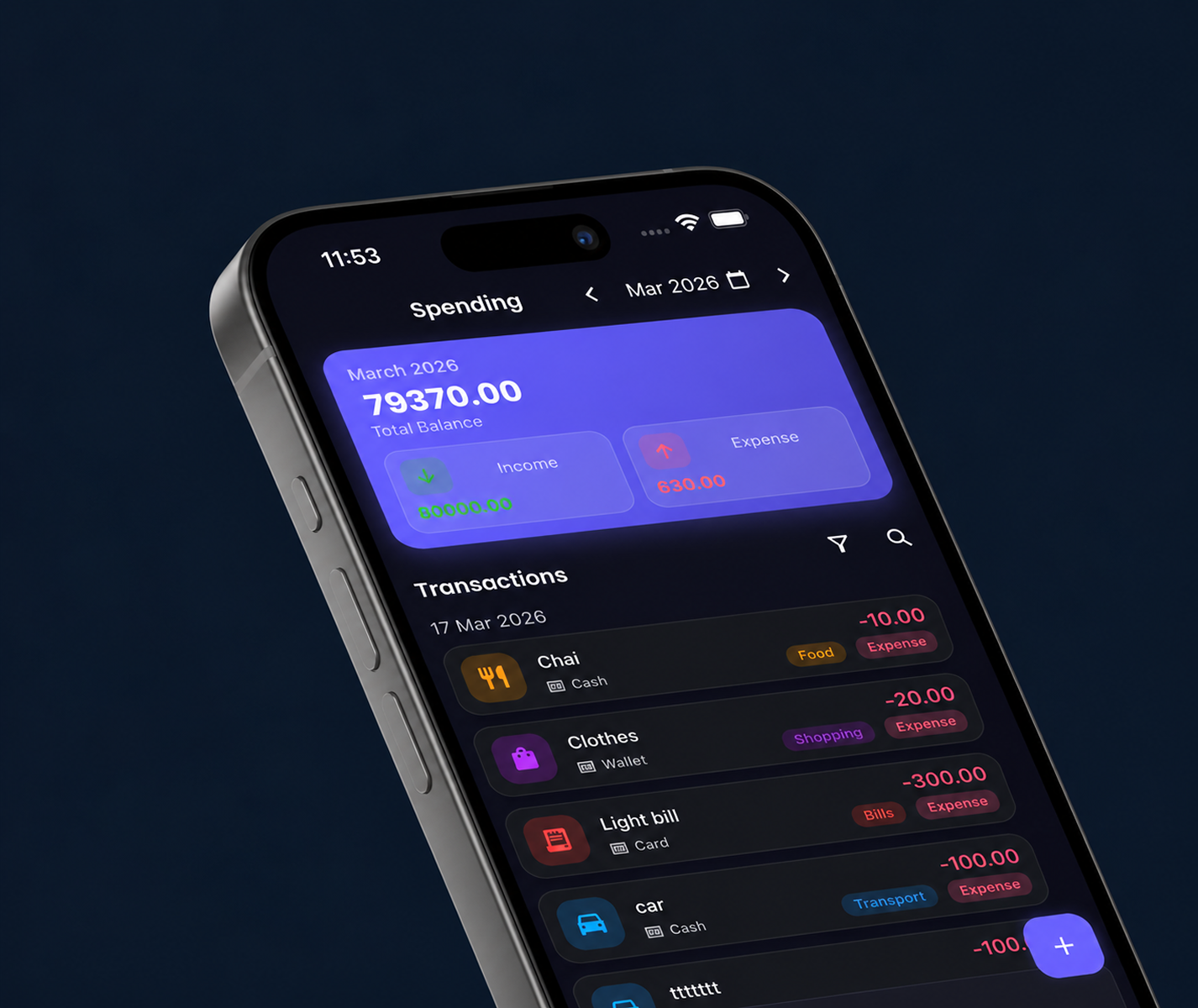
Everything You Need to Understand Your Spending
Built for clarity, speed, and peace of mind with zero unnecessary complexity.
Track expenses quickly
Log daily transactions in seconds with quick manual entry and customizable categories.
Understand spending patterns
Gain clear visibility into where your money goes with visual category charts and monthly comparisons.
Monitor balance and cash flow
Track income against expenses in real time to understand your net savings.
Get AI-powered insights
Receive smart daily spending averages, month-end projections, and expense risk analysis.
Add expenses with your voice
Hands-free speech-to-text logging that recognizes amounts and matches categories automatically.
Export and back up your data
Generate clean PDF reports and export local backup files to keep your data safe.
Add Expenses With Your Voice
Track an expense in seconds without typing. Just say what you spent and Spending makes it easy to record.
"Coffee 120"
Understand Where Your Money Goes
Knowing exactly where your money goes every month is the first step toward financial control. Spending transforms raw transaction numbers into clear, categorized charts so you can understand habits and reduce unnecessary spending.
- Category Distribution: See percentage allocations by category in intuitive visual charts.
- Customize Your Spending Charts: Choose the chart views that help you understand category spending, review trends, and see where your money goes with pie and bar charts.
AI-Powered Spending Insights
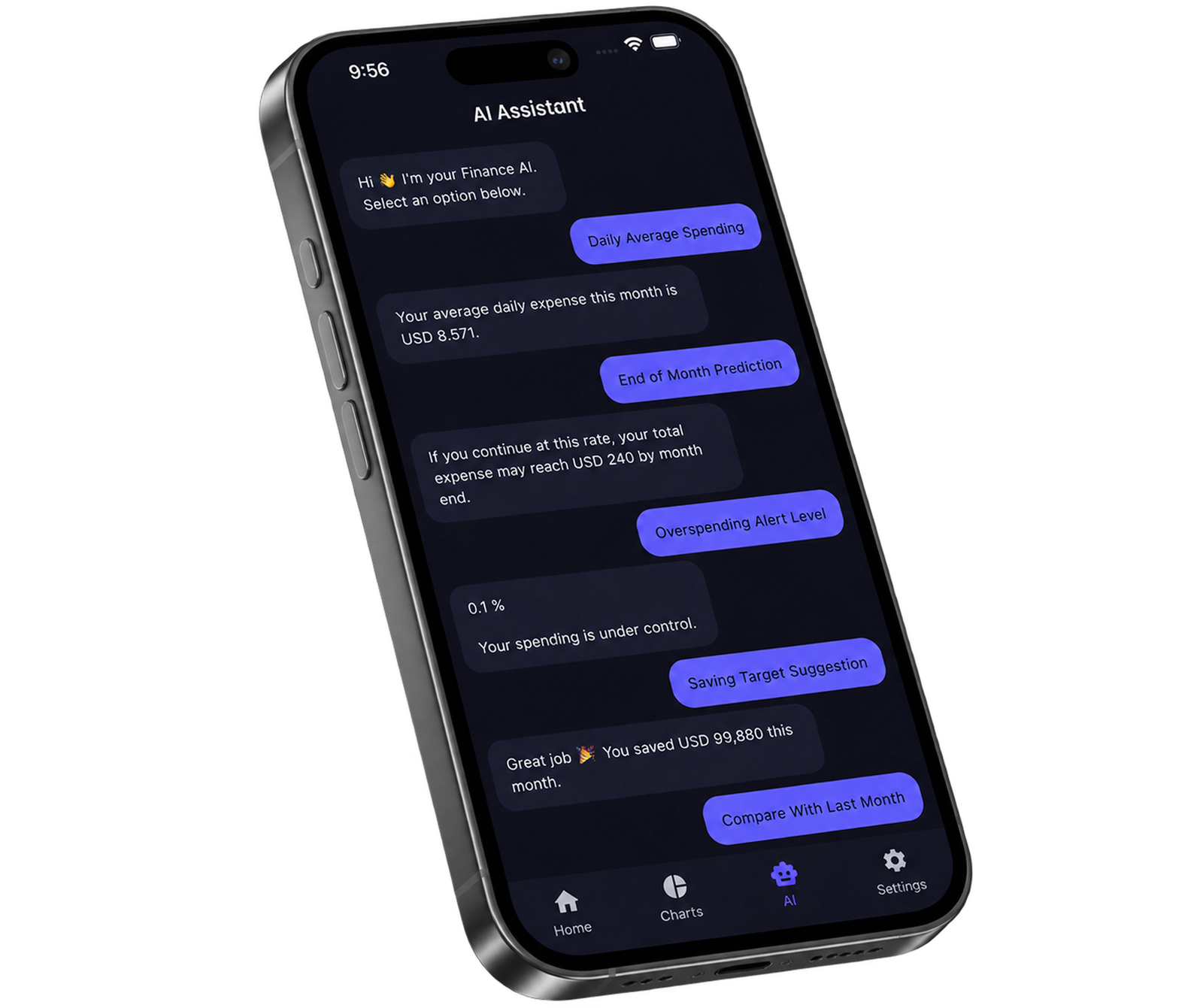
Spending analyzes your recorded cash flow to calculate daily spending averages, predict month-end totals, alert you to high spending ratios, and highlight your top categories.
Monthly Forecast & Average
Calculates daily burn rate and projects end-of-month spending based on current pace.
Budget Risk Alerts
Monitors expense-to-income percentage and flags when you are in warning or high-risk zones.
Track Net Balance & Prepare for Smarter Budgeting
Managing a budget starts with understanding where your money goes. Spending compares your total monthly income against logged expenses to calculate your net balance and cash flow in real time.
- Income vs Expense Balance: Monitor net cash flow automatically to see if you are saving or overspending each month.
- Category & Trend Analysis: Understand where every dollar goes before creating or adjusting your personal budget.
Why Use Spending?
Built for people who want fast, clear, and privacy-focused money management.
Fast Expense Tracking
Track expenses in seconds with quick manual presets or one-tap logging.
Private & Offline-First
100% on-device private database storage. No bank logins or cloud syncing required.
Actionable AI Insights
Smart daily averages, month-end burn rate forecasting, and expense-to-income risk alerts.
Cash Flow & Balance
Track real-time income vs expense balance and category spending trends.
PDF Reports & Backup
Export clean PDF expense summaries and back up your transaction database anytime.
Clean & Modern UI
Dark mode, smooth micro-animations, customizable categories, and multi-currency support.
Financial Reports & PDF Export
Need to review past expenses or keep personal records? Spending allows you to filter transactions by custom date ranges and export formatted financial reports as PDF files.
- PDF Report Generation: Export clean categorized transaction summaries on demand.
- Date Range Filtering: Filter by month, custom periods, or all-time records.
How Your Financial Data is Handled
We believe financial tracking should be straightforward and private. Here is exactly how Spending handles your information:
Local Device Storage
Expenses are stored in a private database directly on your phone.
No Bank Logins
We never ask for or store your bank passwords or credentials.
Backup Export & Restore
Export your backup file at any time to keep a copy or restore data on a new device.
Everything You Need to Manage Your Money
Powerful features designed to give you complete control over your finances
Voice-to-Text Entry
Simply tap the microphone and speak your expense. Spending automatically understands your voice and logs the transaction.
Smart Notification Detection
Enable Notification Access on supported devices to detect transaction alerts and record expenses.
Daily Expense Tracking
Quickly record and categorize your daily spending with custom tags and custom colors.
Category Spending Analysis
Group expenses into custom categories and visualize where your money goes with detailed charts.
Customize Your Spending Charts
Choose the chart views that help you understand category spending, review trends, and see where your money goes.
Visual Analytics & Reports
Gain clarity over your financial health with interactive breakdown charts and monthly spending reports.
Real-Time Total Balance
Know exactly how much money remains after deducting all expenses from your income.
PDF Report Export
Filter transactions by custom date ranges and export formatted PDF reports for personal accounting.
Scheduled Transactions
Keep track of regular bills, memberships, and recurring payments in one dashboard.
Backup Export & Restore
Export backup files to your storage or cloud drive and restore records whenever you switch devices.
Privacy-First Architecture
Your financial data is stored locally on your device without requiring bank credentials.
Get Started in 4 Simple Steps
Start managing your money better today with our simple, guided process
Download the App
Get Spending free from the Apple App Store or Google Play Store in seconds.
Log Your Expenses
Quickly record transactions manually, with voice speech-to-text, or via smart notifications.
Track & Analyze
Review where your money goes with clear category breakdowns and monthly charts.
Reach Financial Peace
Stay within budget, eliminate unnecessary expenses, and keep a positive net balance.
Frequently Asked Questions
Have questions about Spending? We have answers.
Download Spending: Expense Tracker
Take control of your daily expenses, understand spending habits, and gain clarity over your money. Available for free on iOS and Android.
Available for iOS and Android • No bank login required • Free to download